Play real music on day one.
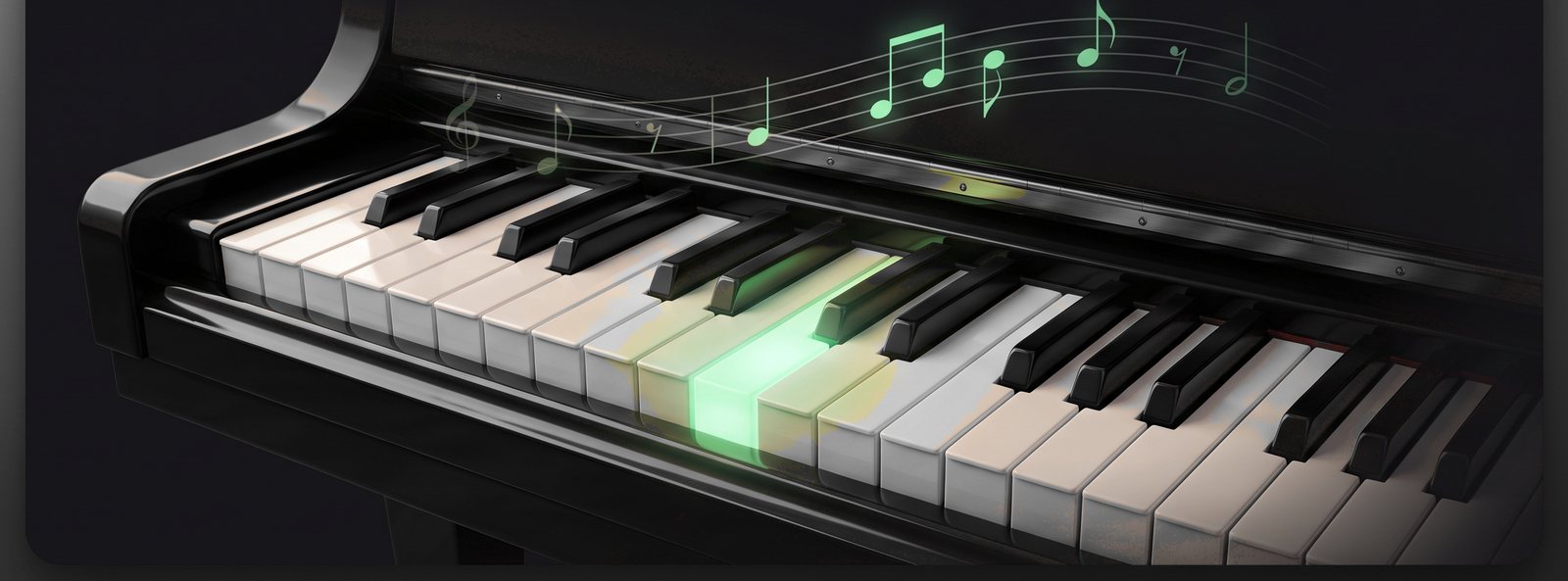
You'll play a real tune in your first sitting. Motif lights the next key, shows you which finger, and waits while you find it — so you can't fall behind and you can't get lost. Then it steps back, a little at a time, until you're reading the music yourself.
Download on the App StoreFree to start. Play on the screen or plug in any MIDI keyboard. No subscription.
On a computer? Search "Motif Studio" on the App Store from your iPhone or iPad.
- Playing in your first sitting
- Any song you bring becomes a lesson
- Practice that plays like a game
- Real sheet music from lesson one
How it works.
Step 1. Follow the light.
The next key lights up with a finger number on it. Play it. Nothing moves until you do, so you can take as long as you need and nothing ever gets away from you.
Step 2. Climb the tempo ladder.
Once the notes are under your fingers, the app walks the tempo up one rung at a time. A section counts as mastered when you can play it at full speed. Not before.
Step 3. Watch the help fade.
The lit keys and finger numbers fall away on their own, as you stop needing them. You don't have to decide when you're ready — one day the help is gone and you're just playing.
How soon you'll be playing.
Which finger is which, your first notes on the staff, and a short tune you can play start to finish. Today, on the screen, with no keyboard needed.
Twinkle Twinkle straight off the page, both hands together.
A real piece you'd be happy to play for someone — and enough chords to sit in with the band.
Canon in D. And music you have never seen before, read at sight.
Everything a lesson would cover, in the order a teacher would cover it.
Getting Started
From "which finger is which" to reading notes, in about fifteen minutes.
Sight-reading
Fresh music at your level, every time. You'll never see the same exercise twice, so you learn to read rather than memorize.
Rhythm
Tap the beat. No keyboard needed, so you can practice on the bus.
Theory
Short lessons on why the notes do what they do, with the staff right there on screen.
Chord Skills
Six levels, from your first two notes together to the chords of any key.
Metronome
Tempo, meter and tap tempo. The plain tool, always one tap away.
Play along with a band, like a real musician.
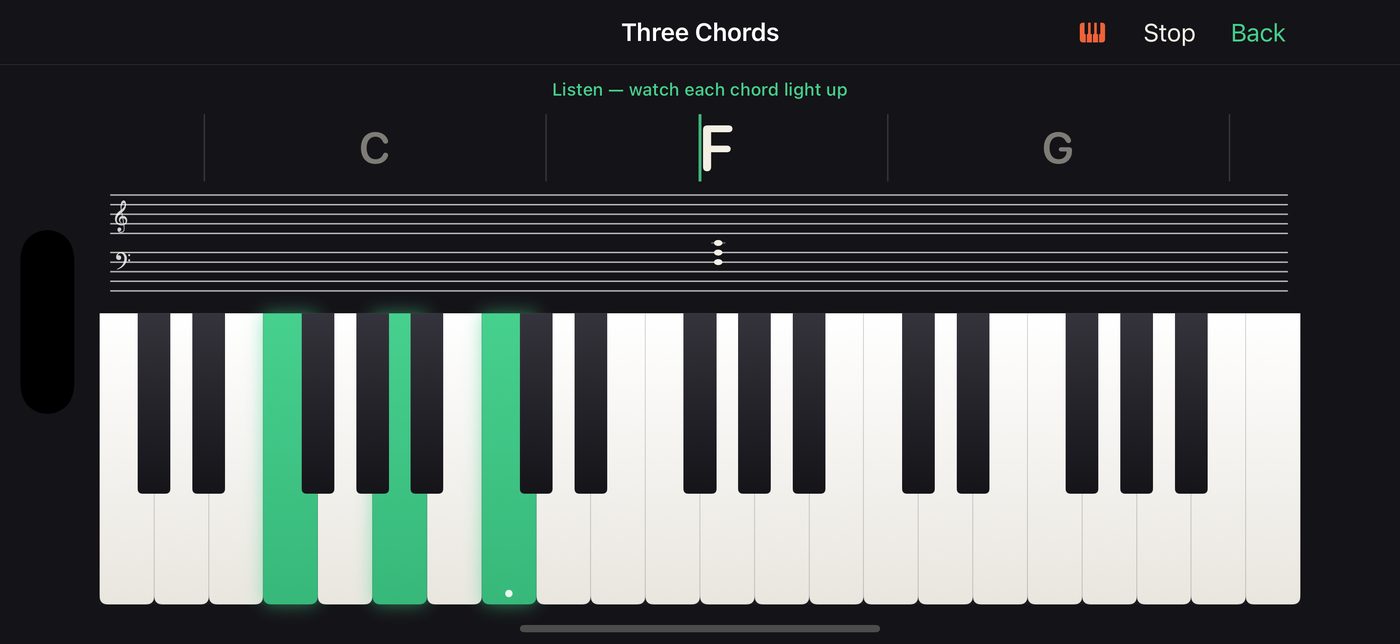
Read chord symbols and comp along with bass and drums that keep the groove while you play the changes. Paste in any progression, from a song you love or one you wrote, and learn it.
You choose whether each chord sits in root position or in the inversion closest to the last one, so your hand barely moves. The app listens for the notes, not for one perfect voicing. Play it your way.
Practice you'll actually look forward to.
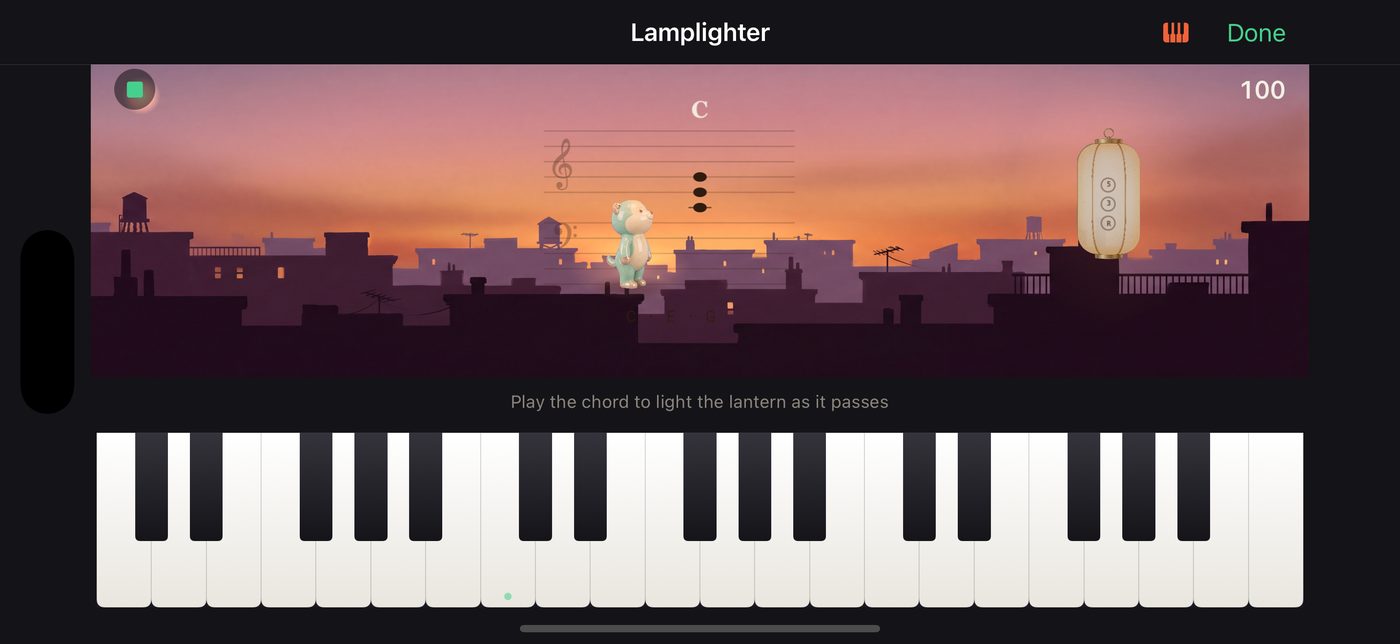
Five games in the Arcade, all played from the staff, all built on the piece you're learning right now. You'll want another go — and every go is a rep. The more fun you're having, the more you're reading.
- Bullseye and Coin Run turn the song you're learning into a timing game.
- Lamplighter lights each lantern when you play the chord on the staff.
- Echo Caves plays a phrase and you play it back as it grows, one note at a time.
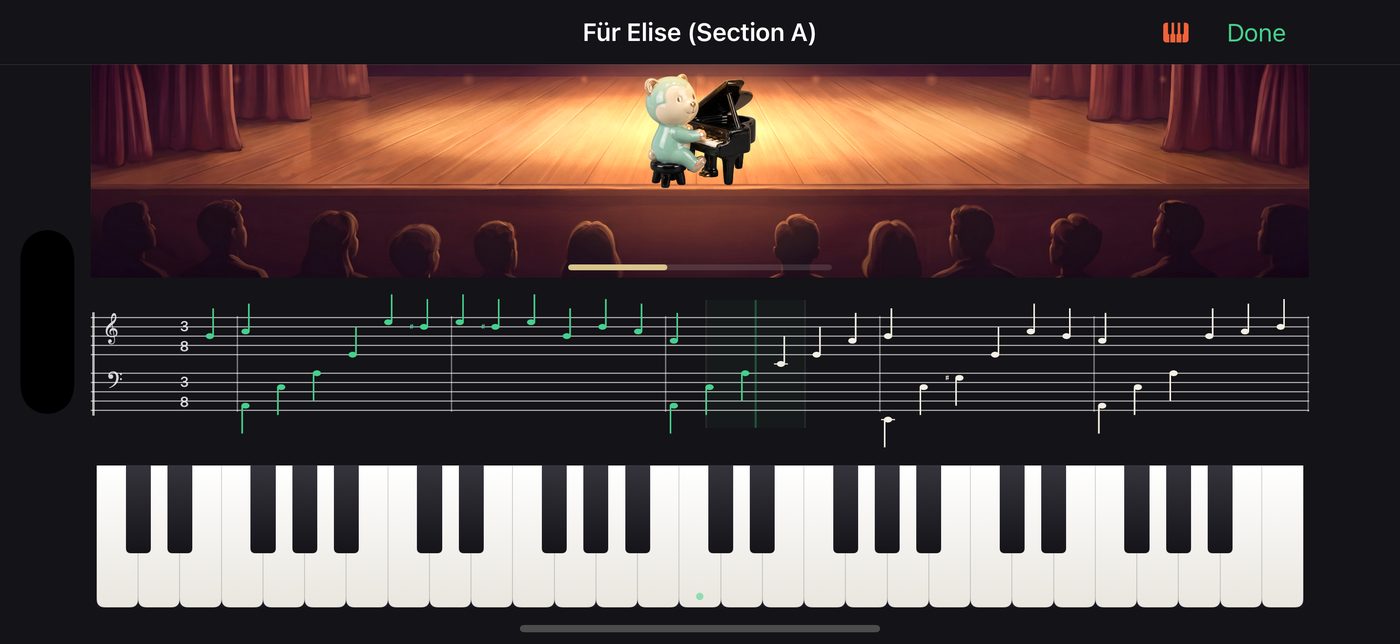
- Recital Night is the whole piece, one take, in front of an audience.
- The Daily Warm-Up is three short exercises, fresh each day.
The song you actually want to play.
Bring in any MIDI file and it becomes a full lesson — not a preview. The same hands-split, the same sections, the same waiting, the same games and the same tempo ladder the pieces we wrote get. Whatever made you want to learn piano in the first place, that is the thing you can practise.
You get the last word on how it's split between your hands, with a pivot slider, a hand swap and a preview you can scrub through while it re-splits as you drag. Bring a whole folder at once if you already have a library.
And there are dozens of pieces waiting either way, arranged in house from first-week beginner to real repertoire — Twinkle Twinkle, Canon in D, Für Elise, Beethoven's 5th — on a clear difficulty ladder, so there's always a sensible next step and never a wall.
Hear yourself play.
The Recording Studio is the one screen that scores nothing. Play whatever you like, listen back, keep it or don't. No microphone is involved — a take is the notes you played, sung back through the same grand piano you played them on — so there's no permission prompt, no room noise, and it sounds the same on every device. Keep your takes, name them, and share one with a teacher or a parent.
With Pro it becomes a tool rather than a keepsake: record to a metronome at the tempo and meter you choose, export a take as a MIDI file to open in any notation software, or send one to your Songbook — where your own performance comes back as a full lesson, hands split, sections and all. You can sit down, play something, and practise it tomorrow.
It notices what you find hard.
The games re-tune themselves after every run to keep you in the band where practice actually works — not so easy it's boring, not so hard you stall — and they say why in plain words. The chord drills are on a real spaced-repetition schedule: get one right first time and it comes back later, miss it and it comes back tomorrow. And the bars you keep missing are remembered between sessions, so tomorrow's practice already knows where to start.
Built for one person, or a whole house.
Up to six player profiles, each with its own progress and streak. One purchase covers the whole device. Nothing childish in it, and nothing that assumes you've played before, which means a parent and a nine year old can use the same app and neither one feels talked down to.
And your playing never leaves the device. No account, no chat, nothing uploaded.
Progress you can believe.
The Tour is the long view: a road across a painted map that moves further along every time you practise, with places to reach along it. It only ever goes forward — nothing on it can be lost, failed or reset.
A gentle streak with a built in grace day. Daily goals, achievements you actually earn, and a home screen widget that shows where you are.
Celebrations only when you've done something. Praise that costs nothing is worth nothing.
Private by design.
Everything stays on your device. No account, no tracking, no ads, no analytics. Motif Studio makes no network requests of its own — the only network activity is Apple's own App Store check for whether you own the Pro unlock, and we never see it.
Simple pricing.
Free to start. One purchase, once, if you want the rest.
The guided first lesson and every beginner song. Sight-reading, note fluency, rhythm and the metronome — endless, because the exercises are composed fresh each time. All eleven music theory lessons. Explore free-play. The Recording Studio: play, hear yourself back, keep takes and share them. Import any MIDI file and hear the whole thing with the notation scrolling. First Chords in full, and the Three Chords lead sheet in full. The Daily Warm-Up, the arcade games on your free songs, and your streak, goals and widget. One player profile.
The full song library — every intermediate and advanced piece. Practice for the songs you import, not just listening. The rest of Chord Skills, up to the chords of any key. Play by Chords with the band, and paste your own progressions. The Recording Studio's other half: record to a metronome, export a take as a MIDI file, or send one to your Songbook and practise your own playing as a lesson. Up to six player profiles. One purchase, no renewal, no upsell.
iPhone and iPad. iOS 18 or later. Best with a MIDI keyboard, works without one.
Questions.
Do I need a keyboard?
No. Every mode works by tapping the on screen keys. It's much better with a real one, and any USB or Bluetooth MIDI keyboard works the moment you plug it in.
I'm a complete beginner. Will I be lost?
No. Getting Started takes you from "which finger is which" to reading notes on a staff in about fifteen minutes.
Do I need to read music already?
No. Teaching you to read is the whole point.
Is it for kids or adults?
Both. Nothing in it is childish, and nothing assumes you've played before.
Is there a subscription?
No. Free to start, one optional purchase unlocks everything permanently.
Does it send my practice anywhere?
No. There's no account, and nothing you play is ever uploaded. The app reaches the network only through Apple's App Store, to check whether you've bought the Pro unlock.
Which devices?
iPhone and iPad, iOS 18 or later.